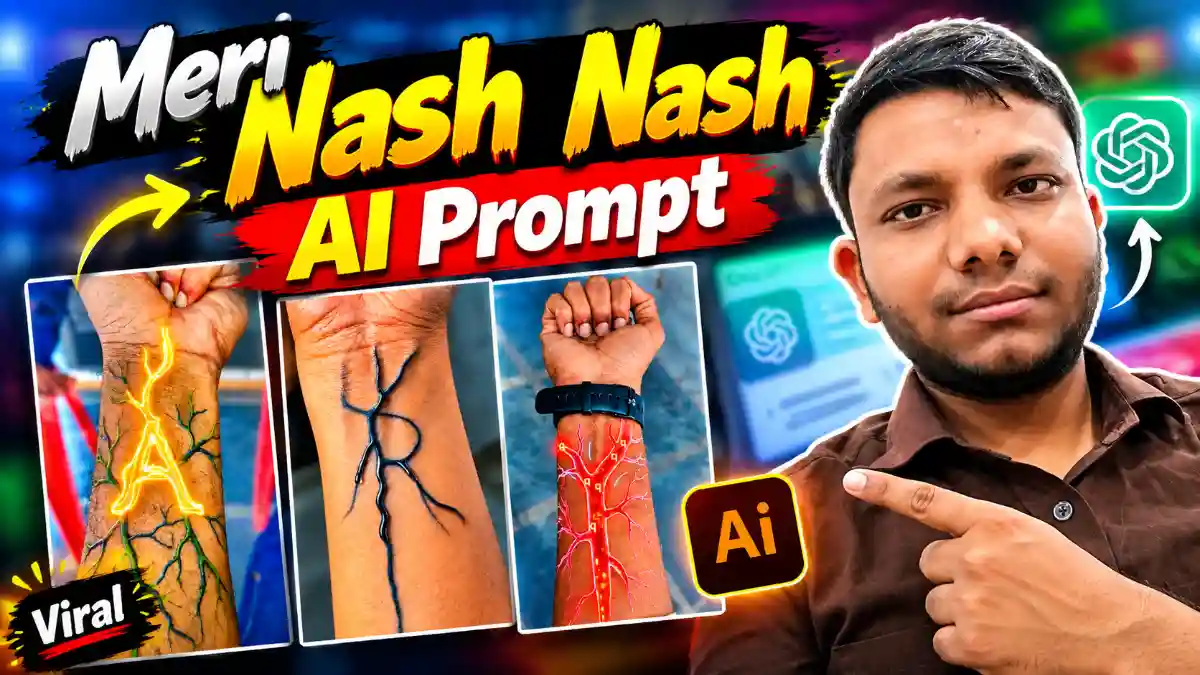
The Meri Nash Nash Me Bahe Hai Reels Video बनाने का आसान तरीका जानें। Flow AI से hand photo और master prompt की मदद से Instagram trending Nash Name AI Video बनाएं और अपनी वीडियो सेव करें।
NAS AI Video Kaise Banaye? Flow AI Se Trending NAS Video Creation
हे Guys, पहले आप Instagram पर चल रही इन सभी NAS Videos को देखिए। इन सभी Videos पर लाखों में Views आ रहे हैं। आज इस Article में हम सीखेंगे कि इस तरह की NAS वाली AI Videos कैसे बनाई जाती हैं। इसके लिए आपको अपने Hand की एक Image Capture करनी होगी और फिर Flow AI Website की मदद से AI Video Create करनी होगी।
NAS AI Video बनाने के लिए Hand की Image कैसे लें?
इस तरह की NAS Videos बनाने के लिए Friends, सबसे पहले आपको अपने Smartphone में Camera App Open करना है। Camera Application Open करने के बाद आपके सामने Camera खुल जाएगा। अब आपको अपने Hand को उस तरह से रखना है, जैसा Video में दिखाया गया है, और अपने Hand की एक Image Click करनी है। Image Click करने के बाद आपको Back आना है। इसके बाद Google पर जाना है, जहां आपको Flow AI Search करना होगा।

Create a beautiful, ultra-realistic romantic initial-letter love video for the single letter “[K]”.
FORMAT: Vertical 9:16, 8 seconds, cinematic 4K quality, suitable for Instagram Reels.
SCENE: A deep black background with beautiful glowing red roses, tiny floating red heart particles, and soft romantic lighting.
ANIMATION: A single elegant uppercase letter “[K]” slowly appears in the center of the screen, formed from glowing red light trails and sparkling particles. The letter transforms into a beautiful glossy 3D design with a red neon outline and a soft white glow. A small glowing red heart appears beside the letter and gently pulses. Tiny sparkling particles float around the letter while the camera slowly zooms in.
VISUAL STYLE: Romantic, aesthetic, dreamy, cinematic lighting, smooth motion, high contrast, realistic glowing effects, premium love-status reel style.
IMPORTANT RULES:
* Display ONLY the single uppercase letter “[K]”.
* Never display a full name or any additional letters.
* Keep the letter perfectly readable and centered.
* Do not add captions, words, logos, or watermarks.
* Keep the same letter throughout the video.
* End with the letter and glowing heart clearly visible in the center.
* No people, no faces, no extra objects.
Create a highly detailed, ultra-realistic, cinematic 10-second vertical AI video using the uploaded hand/forearm photograph as the exact visual reference.
The entire video must follow a continuous cinematic transformation:
REAL HAND → GLOWING BLOOD VESSELS → MACRO VEIN ZOOM →
MICROSCOPIC BIOLOGICAL TUNNEL → DNA HELIX →
FLOATING 3D ALPHABETS → GIANT GLOWING HEART →
FINAL ALPHABET REVEAL.
The selected alphabet [A] is the central visual identity
throughout the entire video.
VIDEO SETTINGS:
Duration: Exactly 10 seconds.
Aspect ratio: 9:16 vertical.
Resolution: 4K, if supported.
Style: Photorealistic, cinematic biological VFX,
premium 3D animation, smooth continuous camera movement.
Lighting: Realistic skin lighting, glowing orange-red energy,
golden highlights, dramatic volumetric illumination.
No subtitles, no extra text, no logos, no watermark.
==================================================
SCENE 1 — ORIGINAL HAND AND ACTIVATING VEINS
TIME: 0.0–1.5 SECONDS
==================================================
Begin with the uploaded photograph.
Preserve the original hand, skin tone, finger shape, wrist,
watch, accessories, sleeve, arm proportions and background.
Maintain the original camera angle and hand position.
The hand should remain nearly motionless.
A tiny, intensely glowing orange-red point activates beneath
the skin near the wrist.
Thin luminous vascular branches begin spreading naturally
from this point, following the contours of the wrist and forearm.
The veins progressively grow, branch and illuminate the skin
with realistic subsurface light scattering.
The glowing veins resemble an intricate network of biological
blood vessels filled with flowing orange-red energy.
Tiny bright particles travel through the vessels.
The illumination intensifies gradually, revealing a detailed
network of branching veins beneath the skin.
Keep the original hand recognizable and anatomically correct.==================================================
SCENE 2 — EXTREME MACRO ZOOM INTO A SINGLE VEIN
TIME: 1.5–2.8 SECONDS
==================================================
The camera rapidly but smoothly approaches one prominent,
glowing vascular branch on the forearm.
The selected vein becomes larger and fills the frame.
Show the realistic skin texture and luminous vessel walls
in extreme macro detail.
The camera aligns precisely with the opening of the glowing
vascular pathway and travels forward into it.
The outer hand gradually disappears from view as the camera
enters the microscopic interior.
Create a seamless transition from real skin into a
three-dimensional biological environment.
Do not use an abrupt cut or a random transition.
The viewer must feel as though the camera is physically
traveling inside the same glowing vein visible on the arm.
==================================================
SCENE 3 — INSIDE THE BIOLOGICAL VEIN
TIME: 2.8–4.2 SECONDS
==================================================
Reveal a breathtaking microscopic tunnel resembling the
interior of a living blood vessel.
The camera travels forward through a winding, organic tunnel
with translucent reddish-orange vessel walls.
Thousands of tiny glowing particles flow through the tunnel.
Small red blood-cell-like discs drift past the camera,
moving naturally with the fluid flow.
The vessel walls pulse subtly with biological motion.
Thin branching filaments of luminous energy appear along
the walls.
Far ahead, a glowing double-helix DNA structure gradually
emerges from the swirling particles.
The camera continues moving forward toward the DNA.
Use realistic depth, fluid motion, volumetric lighting,
subtle motion blur and a strong sense of microscopic scale.
The environment must feel like an immersive journey inside
the human body’s vascular and molecular world.
==================================================SCENE 4 — DNA HELIX AND FLOATING ALPHABETS
TIME: 4.2–6.8 SECONDS
==================================================
The camera approaches a large, beautifully illuminated
three-dimensional DNA double helix floating inside the tunnel.
The DNA strands rotate slowly around one another.
Their molecular structure is detailed, translucent and
illuminated by golden-orange and subtle red light.
Glowing particles spiral around the DNA.
The DNA helix becomes the center of a swirling energy vortex.
Now introduce numerous three-dimensional uppercase letters
matching the selected alphabet [A].
All recognizable alphabet characters must be exactly [A].
The letters emerge from the glowing particles and DNA strands,
then begin floating through the biological tunnel.
Some letters rotate slowly around their vertical axes.
Others move toward the camera and pass close to the lens.
Smaller letters travel deeper into the tunnel.
Create a powerful sense of depth using foreground,
middle-ground and background letters.
The letters should look like premium three-dimensional
metallic-gold characters with luminous orange edges.
Maintain clear, recognizable letter shapes.
Do not allow the letters to morph into other characters.
The DNA helix remains visible behind the floating letters.
The camera accelerates smoothly through the letter-filled
tunnel toward a bright, mysterious opening ahead.
==================================================
SCENE 5 — GIANT HEART AND ALPHABET TRANSFORMATION
TIME: 6.8–8.7 SECONDS
==================================================
The camera emerges from the microscopic tunnel into a
dramatic, dark cinematic space filled with golden energy trails.
At the center, reveal a large, anatomically inspired,
three-dimensional red heart with a beautiful glossy,
translucent surface and subtle glowing vascular details.
The heart should look realistic, elegant and cinematic,
not cartoonish or frightening.
The heart beats gently once, producing a visible pulse of
golden-orange light that spreads through the surrounding space.Luminous blood-vessel-like branches extend around the heart.
The selected alphabet [A] appears around the heart as multiple
small, floating metallic-gold 3D letters.
The letters orbit the heart in elegant curved trajectories,
connected visually by fine glowing energy ribbons.
The camera moves in a smooth semicircular arc around the heart.
As the golden energy intensifies, the floating letters
converge toward the center, preparing the final reveal.
The heart must remain visible and recognizable during
this transformation.
==================================================
SCENE 6 — FINAL HERO SHOT
TIME: 8.7–10.0 SECONDS
==================================================
Create a spectacular final composition.
A single enormous uppercase letter [A] materializes
directly in front of the glowing red heart.
The letter must be perfectly recognizable, centered,
symmetrical where appropriate, and rendered as premium
three-dimensional metallic gold.
The heart remains visible behind the central alphabet,
creating a dramatic heart-and-letter composition.
Smaller copies of [A] orbit around the heart and central letter.
Golden energy ribbons circle the composition while glowing
particles float gently through the dark background.
The heart produces a final subtle luminous pulse.
The central letter shines intensely for a brief moment.
End with a stable, beautiful cinematic hero shot showing
the giant selected alphabet and the glowing heart together.
Hold the final composition long enough for the viewer
to recognize the letter clearly.
Do not end on the original hand.
Do not cut away before the heart and final alphabet appear.
==================================================
CAMERA AND MOTION REQUIREMENTS
==================================================
Use one visually continuous, carefully coordinated camera journey.
Start with a stable shot of the uploaded hand.
Move into a slow-to-fast macro zoom toward the glowing vein.Travel forward through the microscopic biological tunnel.
Pass the DNA helix and floating alphabet characters.
Accelerate toward the bright opening.
Reveal the glowing heart with a smooth cinematic emergence.
Finish with a controlled orbit and a stable final hero shot.
Use realistic perspective, smooth acceleration, natural
depth of field and consistent spatial direction.
Avoid random camera movements, unnecessary scene changes,
flickering, abrupt cuts and inconsistent object placement.
==================================================
STRICT REFERENCE AND ALPHABET CONSISTENCY
==================================================
1. Use the uploaded photograph as the source of the opening scene.
2. Preserve the original person’s hand, skin tone, fingers,
wrist, watch, accessories and clothing.
3. Do not invent a different hand or change the original pose.
4. The glowing veins must visibly grow from the actual wrist
and forearm in the uploaded photograph.
5. The macro zoom must originate from a visible glowing vein.
6. The biological tunnel must feel connected to the vein
rather than appearing as an unrelated scene.
7. Include a clearly recognizable DNA double helix.
8. Use only the selected uppercase alphabet [A] for all
recognizable floating letters and the final hero letter.
9. Do not introduce unrelated letters, numbers or words.
10. The final composition must include both the selected
alphabet [A] and a clearly visible glowing red heart.
11. Maintain consistent golden-orange alphabet styling,
realistic red biological details and cinematic lighting.
12. Keep the entire transformation within 10 seconds.
13. Prioritize smooth visual continuity and reference fidelity
over excessive effects.
14. Avoid distorted hands, illegible letters, broken DNA,
deformed hearts, excessive particle clutter and flickering.
15. The final result must look like a premium cinematic
AI-generated biological alphabet transformation video.
AUDIO:
Use subtle biological pulses, a soft electrical activation,a smooth microscopic whoosh during the vein zoom,
gentle fluid ambience, a subtle DNA energy shimmer,
and a deep cinematic impact when the final alphabet appears.
Step 1: Google पर Flow AI Search करें
Hand की Image Capture करने के बाद अपने Smartphone में Google Open करें। Google पर जाने के बाद Search में Flow AI लिखकर Search करें। Search करने के बाद आपके सामने Flow AI की Website आ जाएगी।
अब आपको इस Website पर Click करना है। जैसे ही आप Website पर Click करेंगे, आपके सामने Flow AI Website Open हो जाएगी। इसके बाद आप यहां New Project बनाकर अपनी NAS AI Video बनाने की Process शुरू कर सकते हैं।

Step 2: Flow AI में New Project बनाएं
Flow AI Website Open होने के बाद Friends, आपको यहां New Project का Option मिलेगा। इस New Project Option पर Click करें। इसके बाद आपके सामने Plus (+) Icon का Option दिखाई देगा।
अब आपको Plus Icon पर Click करना है। Click करने के बाद यहां आपको Upload Option मिलेगा। इस Upload Option पर Click करें और Camera से Capture की गई अपने Hand की Image को Select करके Upload करें।
Image Select करने के बाद Done Option पर Click करें। इसके बाद आपकी Image यहां Upload हो जाएगी। Image Upload होने तक आपको Wait करना है।
Step 3: Image को Flow AI Project में Add करें
जब आपकी Image Upload हो जाए, तो इसके बाद आपको फिर से Plus (+) Icon पर Click करना है। यहां आपको अपनी Upload की गई Image दिखाई देगी।
अब इस Image पर Click करें। Click करने के बाद आपकी Image Project में Add हो जाएगी। Image Add होने के बाद आप अगले Step में Prompt का इस्तेमाल कर सकते हैं।
Step 4: NAS AI Video का Master Prompt Paste करें
Image Add होने के बाद आपको इसके नीचे Want to Create या Prompt से संबंधित Option दिखाई देगा। यहां आपको एक Prompt Add करना है। इस आर्टिकल में बताया गया है कि यह Prompt Taja Info वेबसाइट पर मिल जाएगा।
अब आपको अपने Taja Info वेबसाइट से इस Master Prompt को Copy करना है। इसके बाद Flow AI Website पर वापस आकर Prompt Box में इसे Paste कर दें।
Prompt Paste करने के बाद Friends, आपको यहां Enter Option मिलेगा। अब Enter Option पर Click करें। इसके बाद आपके Hand की Image से NAS वाली AI Video Create होना Start हो जाएगी।
Step 5: NAS AI Video Generate होने का इंतजार करें
Prompt Enter करने के बाद आपको कुछ समय तक Wait करना है। इस तरह की NAS Videos Instagram पर काफी Trending में चल रही हैं और आपने भी ऐसी Videos देखी होंगी।
Video Generate होने के बाद आपके सामने आपकी बनाई गई Video आ जाएगी। इस Process में लगभग 2 से 3 मिनट Wait करना पड़ सकता है। Video Create होने के बाद आपको उस Video पर Click करना है।
अब Video को Play करके देखें। इस तरह आपकी NAS AI Video बनकर तैयार हो जाएगी। Tutorial में दिखाई गई Video में Characters काफी Unique दिखाई देते हैं और Video का Look भी काफी Realistic लगता है।
Step 6: NAS AI Video Save कैसे करें?
अगर आप अपनी बनाई गई NAS AI Video को Smartphone में Save करना चाहते हैं, तो इसके लिए आपको Video के पास दिए गए Three Dots (⋮) Option पर Click करना है।
Three Dots पर Click करने के बाद आपके सामने Download Media का Option मिलेगा। अब आपको Download Media Option पर Click करना है। इसके बाद बताए गए अगले Option में 360 वाले Option पर Click करें, जैसा कि Original Tutorial में दिखाया गया है। इसके बाद आपकी Video Save हो जाएगी।
Conclusion
इस तरह Friends, आप अपने Hand की Image का इस्तेमाल करके Flow AI Website पर NAS AI Video बनाने की Process सीख सकते हैं। सबसे पहले Camera से Hand की Image Capture करें, Google पर Flow AI Search करें, New Project बनाएं, Image Upload करें और Telegram Channel से Master Prompt Copy करके Paste करें। इसके बाद Enter पर Click करके Video Generate होने का इंतजार करें और Video तैयार होने पर Download Media Option की मदद से उसे Save करें।